// Blog
Insights, tutorials, and updates on headless WordPress commerce.
The latest on building fast, custom storefronts with WooGraphQL — from deep tutorial series to ecosystem updates.
// Blog
The latest on building fast, custom storefronts with WooGraphQL — from deep tutorial series to ecosystem updates.
Guest checkout, variations, order lookup, and reviews — wire WooCommerce into a Next.js app via WPGraphQL + NextPress. Cart-Token bridges everything.
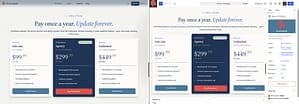
Five files, two domains, one npx. A Next.js app pulls posts from WordPress over WPGraphQL, the WordPress editor stays in charge of every paragraph, and <Content> renders the block markup as real React nodes — no dangerouslySetInnerHTML for the body.
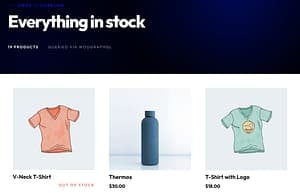
In the final chapter of our tutorial series, we delve into the creation of a Single Product page and the implementation of Cart Options. Learn how to showcase your product’s unique features and manage orders effectively. By the end of this tutorial, you’ll have a fully functional, feature-rich eCommerce store ready to serve your customers. Dive in to put the finishing touches on your application.

In the fourth chapter of our series on building headless shops with WooGraphQL, we delve into enhancing the user interface and interaction capabilities of your eCommerce store. We guide you through the process of incorporating user navigation and a login page, two core functionalities of any eCommerce site. This chapter is all about creating a more engaging and seamless user experience, allowing users to navigate through different sections of the site and manage their account with ease. We also share a neat trick on how to utilize session drop-off links to pass the end-user’s session from our Next.js application to the WordPress installation hosting our WooCommerce store. This method allows us to bypass the need to create certain pages in our application, particularly those that could be time-consuming to build or that rely on functionality not readily available in our front-end application.
In the third chapter of our series on building headless shops with WooGraphQL, we delve into the creation of shop listing pages using WooGraphQL and Next 13. This step-by-step guide focuses on implementing a navigation system and a Shop page for your e-commerce platform. We start by creating the shop page with minimal filtering functionality and gradually build up to implementing the filtering functionality and updating each component respectively. This chapter is essential for those looking to create a seamless and efficient e-commerce platform using the power of WooGraphQL.
In the second chapter of our tutorial series on creating a headless eCommerce application, we set up the e-commerce app to interface with your store. We leverage Next.js for the front-end and take advantage of several other tools like shadcn/ui for components, and GraphQL Code Generator for handling GraphQL operations. This chapter guides you through creating and setting up your e-commerce app for development, building shop listing pages with WooGraphQL, creating user login and navigation, and creating the product page and cart options
This blog post is the first in a series aimed at developers interested in building a robust eCommerce application backed by a WooCommerce store using WPGraphQL and WPGraphQL WooCommerce (WooGraphQL). In this chapter, we guide you through the process of setting up your WordPress installation for this endeavor. We cover everything from setting up WordPress for your headless eCommerce application, creating and setting up your eCommerce app for development, building shop listing pages with WooGraphQL, creating user login and navigation, to creating the product page and cart options. This comprehensive guide is perfect for those looking to leverage the power of WooGraphQL in their eCommerce applications.


Learn how to make your WordPress-powered eCommerce site more efficient and flexible with GraphQL-Codegen and WPGraphQL/WooGraphQL.